

Building a new home in Sydney is an exciting opportunity to create a space that is comfortable, secure, energy-efficient and ready for future technology. While most homeowners focus on floor plans, kitchens, bathrooms, flooring and landscaping, one of the most important stages often happens behind the walls: pre-wiring.
Pre-wiring your new home means planning and installing the necessary electrical, data, communication, security and smart-home infrastructure before walls and ceilings are closed. Done correctly, it can make your home easier to automate, upgrade and maintain for many years.
For homeowners working with Alpha Smart Homes, Building a New Home in Sydney pre-wiring is particularly important because modern smart homes depend on reliable infrastructure. From lighting and security cameras to home networking, automated blinds, audio systems, electric vehicle charging and energy management, the right wiring plan can provide the foundation for a genuinely connected home.
For building a new home in Sydney, this guide explains everything you should consider when planning new home pre-wiring in Sydney, including electrical wiring, data cabling, smart-home systems, security, entertainment, future-proofing and common mistakes to avoid.
Important: Building a new home in Sydney, electrical work in NSW must be performed by appropriately licensed professionals. Your final wiring design should be reviewed against the requirements applicable to your project, including current NSW requirements, relevant Australian Standards and the National Construction Code (NCC). NSW Government states that electrical wiring work requires an electrical license or certificate, and new building work must comply with the applicable NCC requirements. click here
What Is Pre-Wiring?

Building a new home in Sydney, pre-wiring is the process of installing cables, conduits, outlets, connection points and other infrastructure during construction, before walls, ceilings and other areas become difficult to access.
Think of it as creating the infrastructure skeleton of your home.
Building a new home in Sydney, once a house is completed, adding new cables can involve cutting into plasterboard, opening ceilings, drilling through walls or paying for additional labor. During construction, however, electricians and cablers can usually access these areas much more easily.
Building a new home in Sydney, a good pre-wiring strategy can therefore save time, reduce future disruption and give you more flexibility.
Pre-wiring can include:
- Electrical power points and circuits
- Lighting and switch wiring
- Ethernet/data cabling
- Wi-Fi access-point locations
- Security camera cabling
- Alarm and sensor wiring
- Video doorbell infrastructure
- TV and entertainment connections
- Home theatre wiring
- Smart lighting infrastructure
- Automated blind and curtain provisions
- Door access systems
- Intercom systems
- Audio distribution
- Solar and battery-related provisions
- EV charging provisions
- Home automation control infrastructure
- Conduits for future technology
The objective isn’t simply to install as many cables as possible. Instead, for building a new home in Sydney, the goal is to create a well-planned, scalable and practical infrastructure system.
Why Pre-Wiring Matters for a New Sydney Home
For building a new home in Sydney, Sydney homes are increasingly connected. Building a new home in Sydney, typical household may have smartphones, laptops, televisions, security cameras, smart speakers, appliances, gaming systems, streaming devices and other connected technology.
For building a new home in Sydney, wireless technology is extremely useful, but relying entirely on Wi-Fi isn’t always the best approach.
Some devices benefit from a dedicated wired connection because it can provide greater reliability, predictable performance and easier troubleshooting.
For building a new home in Sydney, pre-wiring also gives you an opportunity to think about future needs rather than designing your home only around the technology you own today.
For example, building a new home in Sydney, you may not currently have:
- A home security camera system
- A home theatre
- Smart blinds
- An EV
- A battery
- Multiple Wi-Fi access points
- A dedicated home office
- Multi-room audio
But your requirements could change over the next five, ten or fifteen years.
A well-designed pre-wiring system gives you options.
1. Start With a Complete Technology Plan
Building a New Home in Sydney, before anyone starts running cables, create a technology plan for the entire property.
Walk through your proposed home room by room and consider how each space will be used.
For every room, ask:
Where will people sit?
Where will furniture be placed?
Where will televisions or computers go?
Where could cameras be useful?
Where will internet-connected equipment be installed?
Where might smart devices be installed in the future?
Where will power be needed?
This process is especially important because furniture layouts can change.
Building a New Home in Sydney, a power outlet or data connection that seems perfectly positioned on a floor plan may become inconvenient once furniture, cabinetry and appliances are installed.
Your pre-wiring plan should therefore consider both the current design and potential future layouts.
2. Plan Electrical Power Points Carefully

Building a new home in Sydney, power points are one of the most important parts of any new home electrical plan.
Instead of simply following the minimum number of outlets required for a room, consider how you actually use the space.
Living Room
Consider power and data requirements for:
- Television
- Streaming devices
- Sound bar
- Gaming console
- Wi-Fi equipment
- Floor lamps
- Phone charging
- Smart-home hubs
- Future entertainment equipment
Home Office
A modern new home office may require connections for:
- Desktop computer
- Monitors
- Laptop
- Printer
- Desk lamp
- Router or network switch
- Phone charger
- Speakers
- Backup equipment
Building a New Home in Sydney: If you’re building a home office, consider installing multiple power outlets and at least one or more dedicated data connections where appropriate.
Kitchen
Building a new home in Sydney, the kitchen can have a surprisingly high electrical demand.
Think about fixed appliances and everyday devices such as:
- Refrigerator
- Oven
- Cooktop
- Dishwasher
- Microwave
- Rang hood
- Coffee machine
- Toaster
- Blender
- Kettle
- Air fryer
Building a new home in Sydney, your electrician should determine appropriate circuits and electrical requirements based on the actual appliances and applicable standards.
3. Build a Strong Home Network
Building a new home in Sydney, a reliable network is the foundation of many modern smart homes.
Although Wi-Fi technology continues to improve, strategically installed Ethernet cabling can provide dependable connections for devices that need consistent network performance.
Consider Ethernet connections for:
- Smart TVs
- Home office computers
- Gaming consoles
- Wi-Fi access points
- Security cameras
- Network printers
- Media servers
- Network storage
- Smart-home controllers
- Other fixed network devices
Building a new home in Sydney, Rather than placing your router in an arbitrary location, think about the network architecture of the entire property.
A central communications or network location can house equipment such as:
- Network switch
- Router
- Patch panel
- Internet equipment
- Security equipment
- Home automation controller
- UPS equipment where appropriate
Building a new home in Sydney, keep networking equipment accessible, ventilated and organized.
4. Consider Ethernet and Data Cabling
Building a New Home in Sydney, Data cabling should be planned before walls are closed.
Depending on your requirements, your professional installer may recommend suitable structured cabling for residential applications.
Common locations include:
- Bedrooms
- Home office
- Living room
- Study
- Media room
- Ceiling access points
- Security camera positions
- Garage
- Outdoor entertainment areas
A common mistake is installing data outlets only where computers are expected to be used.
Modern homes increasingly use wired connections for other devices, including televisions, access points and security systems.
The right design depends on your home’s size, construction, technology requirements and future plans.
5. Pre-Wire for Wi-Fi Access Points
A strong Wi-Fi network isn’t simply about buying the most expensive router.
The physical layout of your home matters.
Large homes, multi-story homes, homes with reinforced structures and properties with challenging layouts may benefit from strategically positioned wireless access points.
Instead of hiding a router inside a cupboard, consider dedicated locations for ceiling or wall-mounted access points.
During construction, you can run suitable data cabling to these locations.
This can help create a cleaner and more scalable network design.
For a smart home, reliable Wi-Fi is especially important because many devices may communicate wirelessly.
6. Security Camera Pre-Wiring
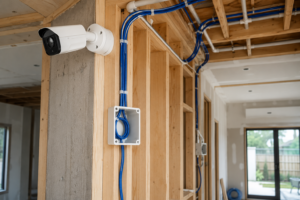
Security is one of the most popular reasons homeowners choose to pre-wire a property.
Security cameras can be installed around areas such as:
- Front entrance
- Driveway
- Garage
- Side access
- Backyard
- Patio
- Pool area
- Other appropriate external areas
Instead of waiting until the house is finished, plan camera positions during construction.
Pre-wiring can provide cleaner installations because cables can be concealed rather than visibly routed along walls.
When planning cameras, think about:
- Field of view
- Lighting conditions
- Privacy
- Camera height
- Coverage areas
- Network connectivity
- Recording equipment
- Future expansion
If using network-connected cameras, your installer can design the network and power infrastructure accordingly.
7. Video Doorbell and Entry Systems

A smart doorbell can provide more than a traditional doorbell.
Depending on the selected system, it may provide:
- Visitor notifications
- Video communication
- Motion detection
- Smartphone access
- Recording
- Integration with other smart-home functions
During construction, consider the doorbell location, power requirements and network connectivity.
If you’re planning a smart access-control system, you should also consider how the front door, garage, gates and internal access points may work together.
8. Pre-Wire for Smart Lighting
Smart lighting can transform the way a home feels and operates.
Instead of controlling lights only with traditional switches, smart lighting can potentially allow homeowners to create scenes and automation routines.
For example:
Good Morning Scene
Bedroom lighting gradually activates while selected lights in the kitchen and living areas turn on.
Movie Scene
Main lights dim while entertainment lighting remains active.
Away Scene
Selected lights switch off automatically when everyone leaves.
Night Scene
Hallway and bathroom lighting operates at a lower level during nighttime hours (Sydney).
However, smart lighting should be planned carefully.
You don’t want a smart-home system that becomes unusable if an app, network connection or particular device fails.
The electrical and control design should therefore provide practical local control and appropriate fallback behavior.
9. Automated Blinds and Curtains
Automated blinds are another feature that is much easier to incorporate during construction.
If you think you may eventually install motorized blinds or curtains, consider planning:
- Power provisions
- Control wiring where required
- Appropriate mounting areas
- Window locations
- Integration with smart-home controls
Automation can allow blinds to respond to schedules, sunlight, temperature or other conditions depending on the selected system.
Pre-planning avoids the need to retrofit visible wiring later.
10. Home Theatre and Entertainment Wiring
If you’re planning a dedicated media room or home theatre, pre-wire it before construction is completed.
Potential requirements include:
- Television
- Projector
- Projector screen
- Front speakers
- Centre speaker
- Rear speakers
- Subwoofer
- AV receiver
- Ethernet
- Streaming equipment
- Gaming consoles
- Lighting controls
Speaker cables can be difficult to install neatly after walls and ceilings are finished.
This makes a home theatre one of the best examples of why pre-wiring matters.
Even if you don’t have the budget for a complete home theatre today, installing suitable infrastructure can make a future upgrade much easier.
11. Multi-Room Audio
Music throughout the home can be another smart-home feature worth planning during construction.
Possible locations include:
- Kitchen
- Living room
- Dining area
- Bedrooms
- Bathrooms where appropriate
- Outdoor entertaining areas
Ceiling speakers can provide a clean appearance, but their locations should be coordinated with lighting, air-conditioning, structural elements and other services.
To building a new home in Sydney, think about where amplifiers and network equipment will be located as well.
12. Plan for Energy Management
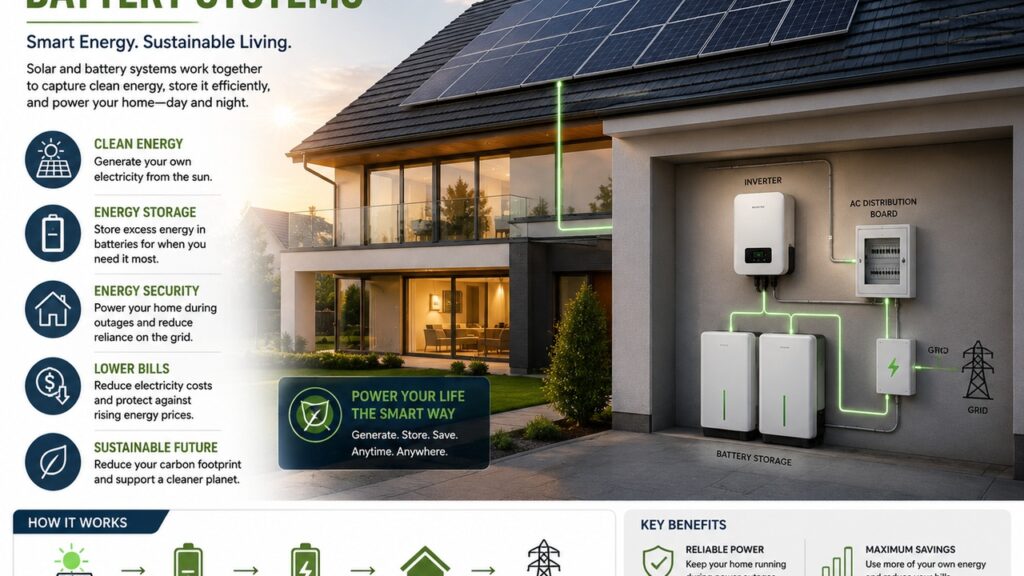
Energy efficiency is an important consideration for modern Australian homes.
Your electrical planning may need to account for technologies such as:
- Solar PV
- Battery storage
- Heat-pump hot water
- Efficient heating and cooling
- Energy monitoring
- Smart energy management
- Electric vehicle charging
NSW’s electrical requirements continue to evolve, including requirements and guidance relating to batteries, solar systems and other electrical installations.
If you’re building a new home in Sydney, discuss your future energy goals early rather than trying to retrofit everything later.
13. Don’t Forget EV Charging

Electric vehicles are becoming increasingly relevant to new-home planning.
Even if you don’t own an EV today, you may purchase one later.
A garage is therefore an ideal place to discuss future EV charging requirements.
Your electrician can assess:
- Available electrical capacity
- Charging location
- Cable route
- Circuit requirements
- Switchboard considerations
- Future energy management
- Solar integration
Do not assume that installing a standard power outlet automatically provides an ideal long-term EV charging solution.
A dedicated EV charging plan should be designed around the vehicle, charger and electrical capacity of the property.
14. Smart Home Control Centre
Building a new home in Sydney, a smart home works best when its systems are properly organized.
Depending on the system selected, you may have equipment such as:
- Automation controller
- Network switch
- Router
- Security recorder
- Amplifier
- Smart-home gateway
- Power management equipment
Consider creating a dedicated equipment area.
It should be:
- Accessible
- Ventilated
- Organized
- Secure
- Appropriately powered
- Large enough for future expansion
Building a new home in Sydney, avoid designing a tiny cupboard that can barely accommodate today’s equipment.
Technology changes quickly.
Leave room for tomorrow.
15. Plan Conduits for Future Technology
Building a new home in Sydney, ne of the most valuable forms of future-proofing is installing suitable conduits where appropriate.
Why?
Building a new home in Sydney, because you cannot predict every technology that will exist in ten or fifteen years,
A conduit can provide a pathway for future cables without requiring major building work.
Potential locations include:
- Roof spaces
- TV walls
- Network locations
- Home office
- Garage
- External camera locations
- Between floors
- Entertainment areas
- Gate and driveway areas
The exact conduit design should be determined by the relevant professional based on the building structure and applicable requirements.
16. Think About the Garage
The garage is often overlooked when planning home technology.
But it can become one of the most useful technical areas in the property.
Consider provisions for:
- EV charging
- Garage door automation
- Security camera
- Wi-Fi
- Network connection
- Freezer
- Workshop equipment
- Battery systems where applicable
- Future smart-home equipment
Building a new home in Sydney, and if your garage is detached from the main house, think carefully about how network connectivity and other services will reach it.
17. Outdoor Pre-Wiring
Your smart-home plan shouldn’t stop at the front door.
Outdoor areas can benefit from carefully planned infrastructure.
Consider:
- Garden lighting
- Pool equipment
- Outdoor entertainment
- Security cameras
- Wi-Fi
- Speakers
- Smart irrigation
- Gate automation
- Doorbell systems
- Garage access
- Outdoor power
Outdoor infrastructure should be designed with appropriate consideration for weather exposure, protection and relevant electrical requirements.
18. Plan Around Furniture
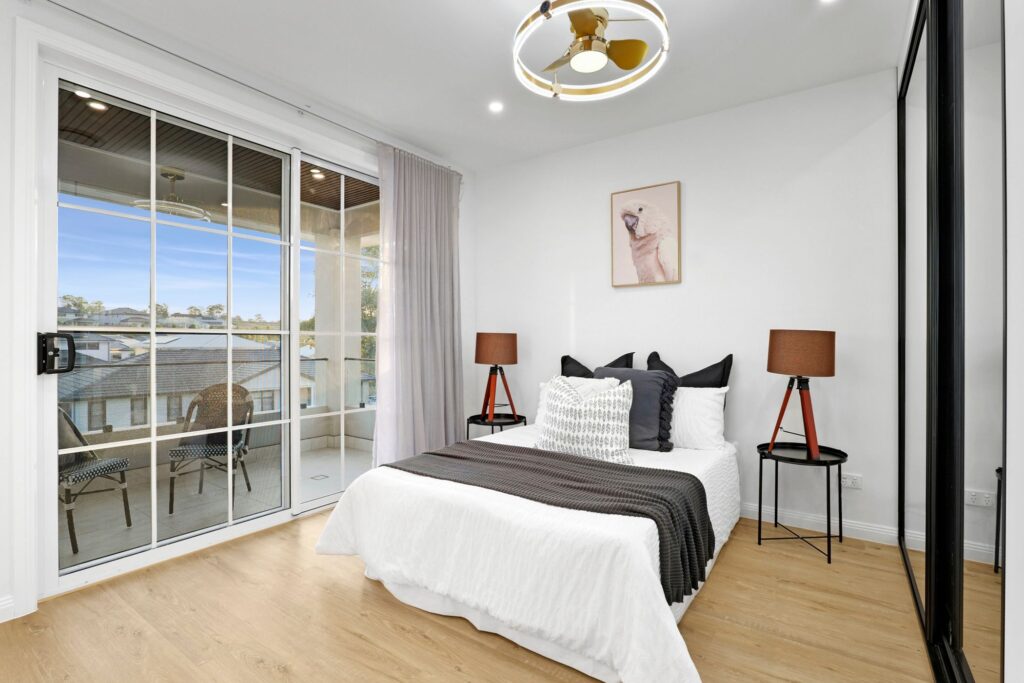
A beautiful electrical plan can still be inconvenient if it doesn’t match your furniture.
Before finalizing outlets and controls, mark where you expect to place:
- Beds
- Sofas
- Dining tables
- Desks
- Televisions
- Wardrobes
- Kitchen appliances
- Side tables
Think about where people will actually plug things in.
For bedrooms, for example, bedside power and charging locations should be planned around the bed position.
For living rooms, consider the relationship between power outlets, television mounting, entertainment equipment and furniture.
19. Label Everything
Building a new home in Sydney, a professional pre-wiring installation should be documented.
Labels can make future maintenance significantly easier.
Consider documenting:
- Cable destinations
- Data ports
- Camera connections
- Network rack connections
- Conduit routes
- Switchboard circuits
- Smart-home components
- Equipment locations
Take photographs before walls are closed.
This is an incredibly useful practice.
Photos can show exactly where cables, conduits and other services are located behind walls.
Keep the documentation with your home’s important records.
20. Work With the Right Professionals
Pre-wiring involves several different areas of expertise.
Building a new home in Sydney, Electrical work in NSW must be carried out by appropriately licensed professionals. NSW Government specifically states that electrical wiring work requires a license or certificate, and DIY electrical wiring is illegal and dangerous.
Depending on your project, you may work with:
- Licensed electricians
- Structured cabling professionals
- Security specialists
- Home automation integrators
- Audio-visual professionals
- Internet/networking specialists
- Builders
- Architects
- Designers
Coordination between these professionals is essential.
Poor coordination can result in competing cable routes, inaccessible equipment, misplaced outlets or systems that don’t integrate properly.
Common Pre-Wiring Mistakes to Avoid
Mistake 1: Only Planning for Today’s Technology
Your new home may last decades.
Your technology won’t.
Plan for change.
Mistake 2: Relying Entirely on Wi-Fi
Wi-Fi is excellent, but some devices benefit from wired connectivity.
A hybrid wired and wireless network can provide greater flexibility.
Mistake 3: Installing Too Few Power Points
Adding outlets later can be expensive and disruptive.
Think about how every room will actually be used.
Mistake 4: Forgetting Outdoor Areas
Security, Wi-Fi, lighting and entertainment often extend outside.
Mistake 5: Ignoring the Network Equipment Location
Don’t hide your networking equipment somewhere inaccessible.
Mistake 6: Forgetting Documentation
Once walls are closed, remembering exactly where every cable runs can be difficult.
Document the installation.
Mistake 7: Treating Smart Home Technology as an Afterthought
If you want automated lighting, blinds, security, audio or energy management, plan the infrastructure before construction is complete.
A Practical New Home Pre-Wiring Checklist
Before your walls and ceilings are closed, review your plan for:
- Electrical outlets
- Lighting
- Switch locations
- Data cabling
- Wi-Fi access points
- TV connections
- Home office
- Security cameras
- Doorbell
- Alarm system
- Smart locks
- Smart lighting
- Automated blinds
- Home theatre
- Multi-room audio
- Garage
- EV charging
- Solar
- Battery storage
- Energy monitoring
- Outdoor areas
- Pool equipment
- Gate automation
- Future conduits
- Network cabinet
- Equipment ventilation
- Cable labelling
- As-built documentation
- Future expansion
When Should You Start Pre-Wiring?
The ideal time to discuss pre-wiring is before construction begins, not after the house is already finished.
Ideally, your technology and electrical requirements should be considered while your floor plans and building services are being developed.
This allows your team to coordinate:
- Architectural plans
- Electrical plans
- Data cabling
- Smart-home requirements
- Security
- Audio-visual systems
- Energy systems
- Construction sequencing
The earlier these requirements are known, the easier it generally is to coordinate them.
Why Choose Alpha Smart Homes for Your Sydney Smart Home?
At Alpha Smart Homes, the objective is to help homeowners think beyond individual smart devices and focus on the infrastructure that makes a connected home practical.
A smart home isn’t simply a collection of gadgets.
It is an integrated environment where lighting, security, entertainment, connectivity, comfort and energy management can work together.
For a new Sydney home, that means considering the entire property from the beginning.
Whether you’re interested in smart lighting, home security, automated blinds, networking, entertainment or future-ready infrastructure, pre-planning can make the finished home more functional and easier to upgrade.
A well-designed smart-home infrastructure can also reduce the temptation to rely on visible cables, temporary solutions and expensive retrofits later.
Final Thoughts: Build the Infrastructure Before You Build the Walls
Building a new home in Sydney, Pre-wiring is one of those parts of building a home that you may not see when the project is finished—but you’ll appreciate it every day.
Building a new home in Sydney, the most successful pre-wiring strategy isn’t necessarily the one with the greatest number of cables.
It is the one that provides the right infrastructure in the right locations, while leaving enough flexibility for future technology.
For homeowners building in Sydney, this means planning electrical power, data connectivity, Wi-Fi, security, entertainment, automation and energy systems as part of the overall home design.
It also means working with qualified professionals and ensuring that electrical installations comply with the requirements that apply in NSW. NSW currently identifies NCC 2022 Amendment 2 as the applicable NCC edition for many construction approvals, while NSW has announced adoption of NCC 2025 from 1 May 2027, so project-specific requirements should always be confirmed during planning.
The best time to prepare your smart home for the future is before the walls are closed.
If you’re building a new home in Sydney and want to create a connected, comfortable and future-ready living environment, Alpha Smart Homes can help you plan the technology and infrastructure from the ground up.
From smart lighting and security to networking, automation, entertainment and energy management, thoughtful pre-wiring can turn a standard new build into a home that’s ready for the way modern families live.
Plan today. Wire intelligently. Build for tomorrow.


Leave A Comment